Meshtastic chat para retrocomputadoras
Meshtastic chat for retrocomputers
Cliente TEXTMSG para módulos Meshtastic compilado para Amiga, Atari ST, MS‑DOS y Macintosh Classic.
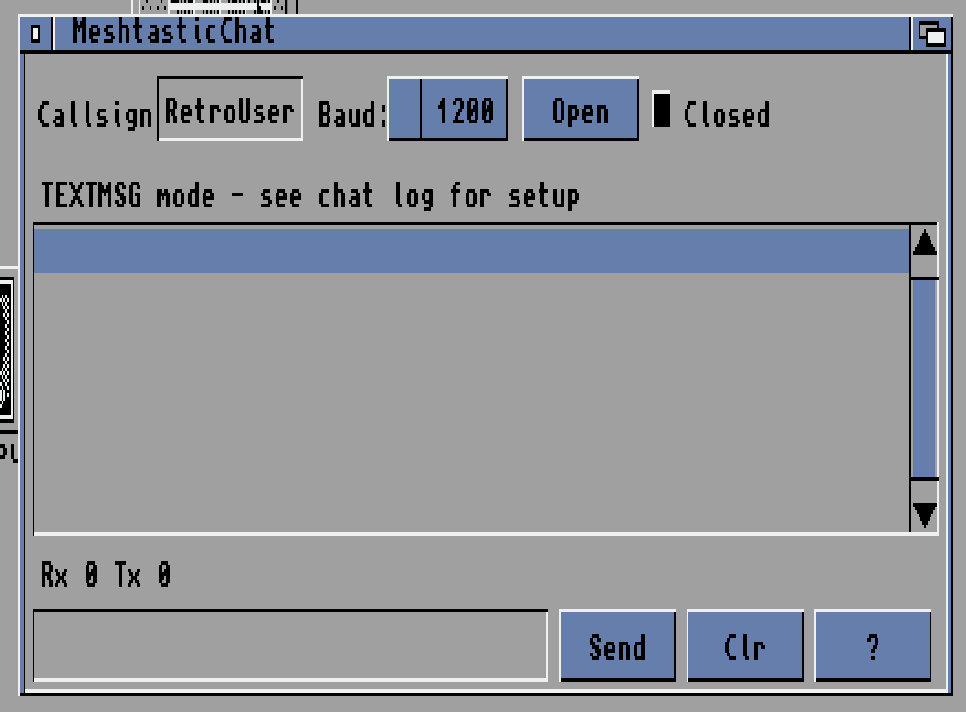
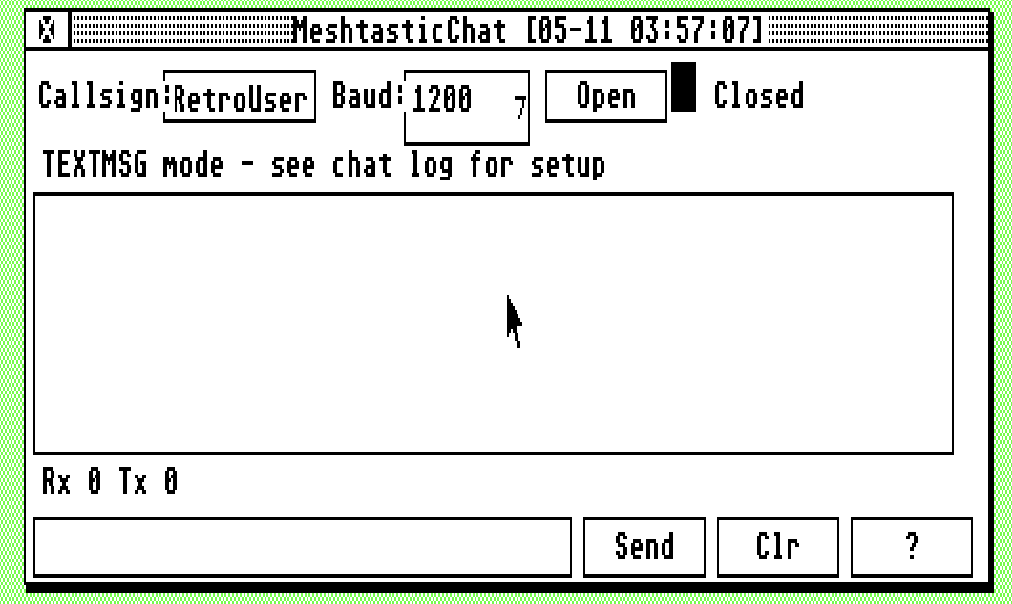
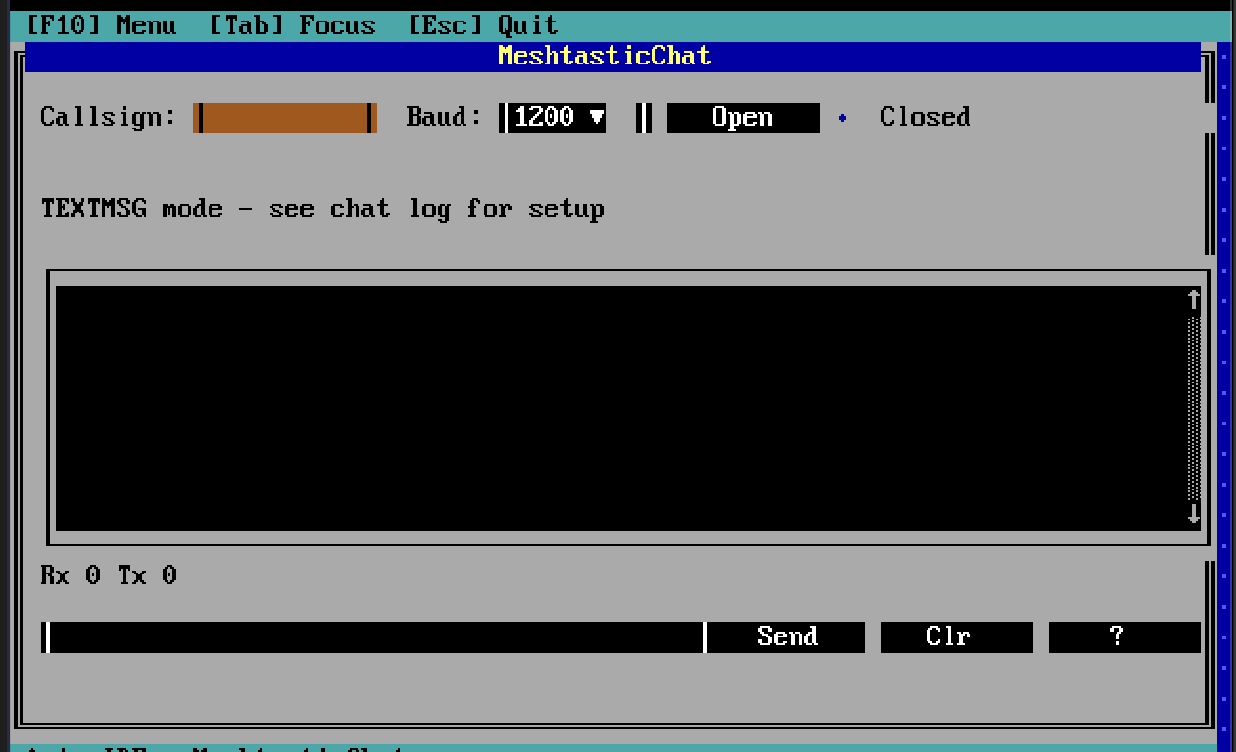
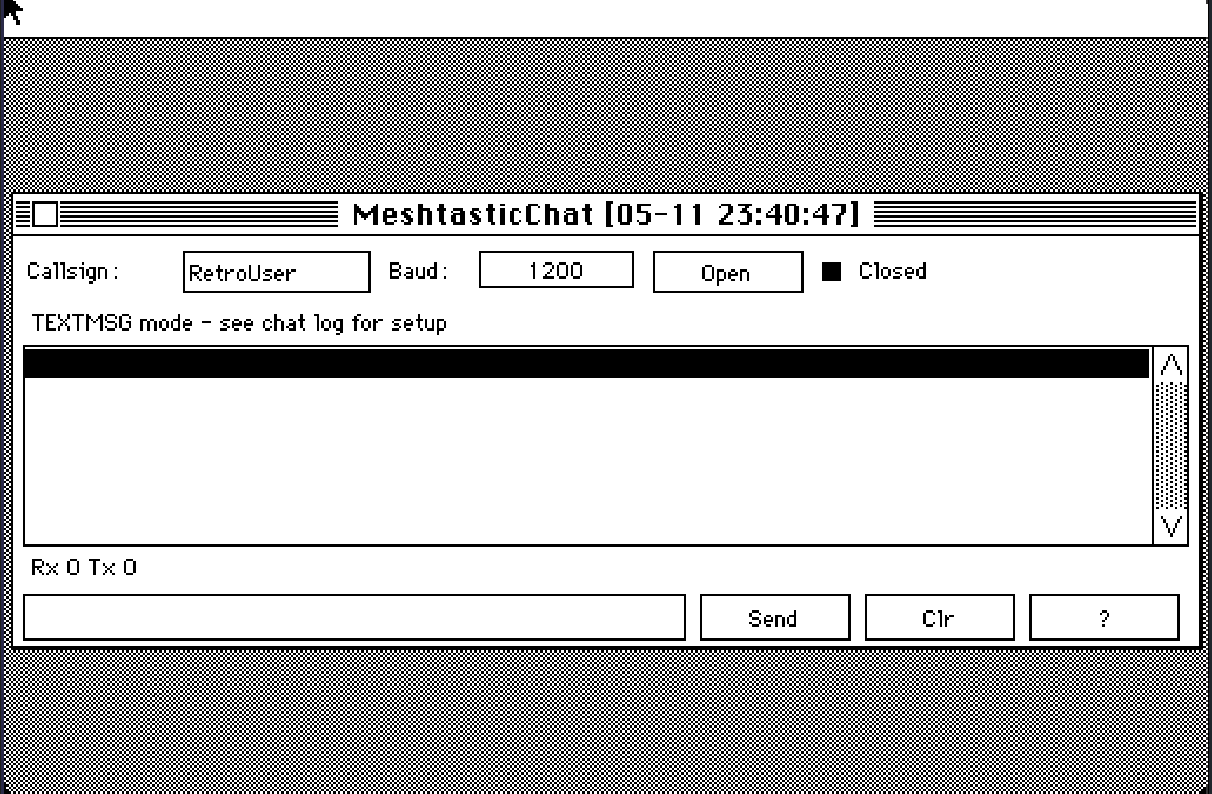
A lightweight TEXTMSG client for Meshtastic LoRa modules, built specifically for classic computers: Amiga (OS 2.0+), Atari ST (TOS), MS‑DOS (TUI) and Macintosh Classic (System 6/7).
Estos ejemplos fueron creados con MacumbaEditor — IDE multi‑plataforma de apps GUI/CLI para Amiga, Mac Classic, Atari ST, MS‑DOS y PDP‑11. Lanzamiento previsto: fines de 2026 – algún momento de 2027.
All versions were created with MacumbaEditor — a powerful cross‑platform IDE for developing GUI and CLI applications targeting retro platforms including Amiga, Atari ST, MS‑DOS, Macintosh Classic and even PDP‑11. Planned release: late 2026 — sometime in 2027.
Amiga · OS 2.0+
Última actualización:Last updated: 2026-05-11
Atari ST · TOS
Última actualización:Last updated: 2026-09-13
MS‑DOS · TUI
Última actualización:Last updated: 2026-09-11
Macintosh Classic · System 6/7
Última actualización:Last updated: 2026-09-13
Cómo funciona
How it works
Conectás tu retro al módulo Meshtastic por puerto serie. El módulo se configura
en modo serial TEXTMSG: cada mensaje recibido por LoRa sale por
el puerto serie como <sender_short_name>: <texto>\r\n,
y todo lo que vos mandés por el serie se publica en el
canal primario de la mesh — todos los nodos del primario
lo ven, exactamente como si estuvieras escribiendo desde la app oficial.
Simply connect your retro machine to a Meshtastic module via a standard
serial port. Configure the module in TEXTMSG serial mode.
Every LoRa message received is sent to the serial port as plain text
(<sender_short_name>: <message>\r\n), and anything
you type and send is transmitted on the mesh's primary channel
— visible to every node on that channel, exactly as if it came from the
official Meshtastic app.
El cliente es un terminal de chat: arriba elegís tu callsign + baud y abrís el puerto, en el medio ves el log de la mesh, y abajo tenés un input. Enter o el botón Send para mandar. Clr limpia el log. Funciona también sobre TCP si estás en un emulador con serie tunelizado.
The client provides a clean, simple chat terminal interface: set your callsign and baud rate at the top, open the serial port, watch incoming messages in the central log window, and type from the bottom input field. Press Enter or click Send to transmit. The Clr button clears the log. It also works over TCP if you're running an emulator with a tunneled serial port.
En hardware real
On real hardware
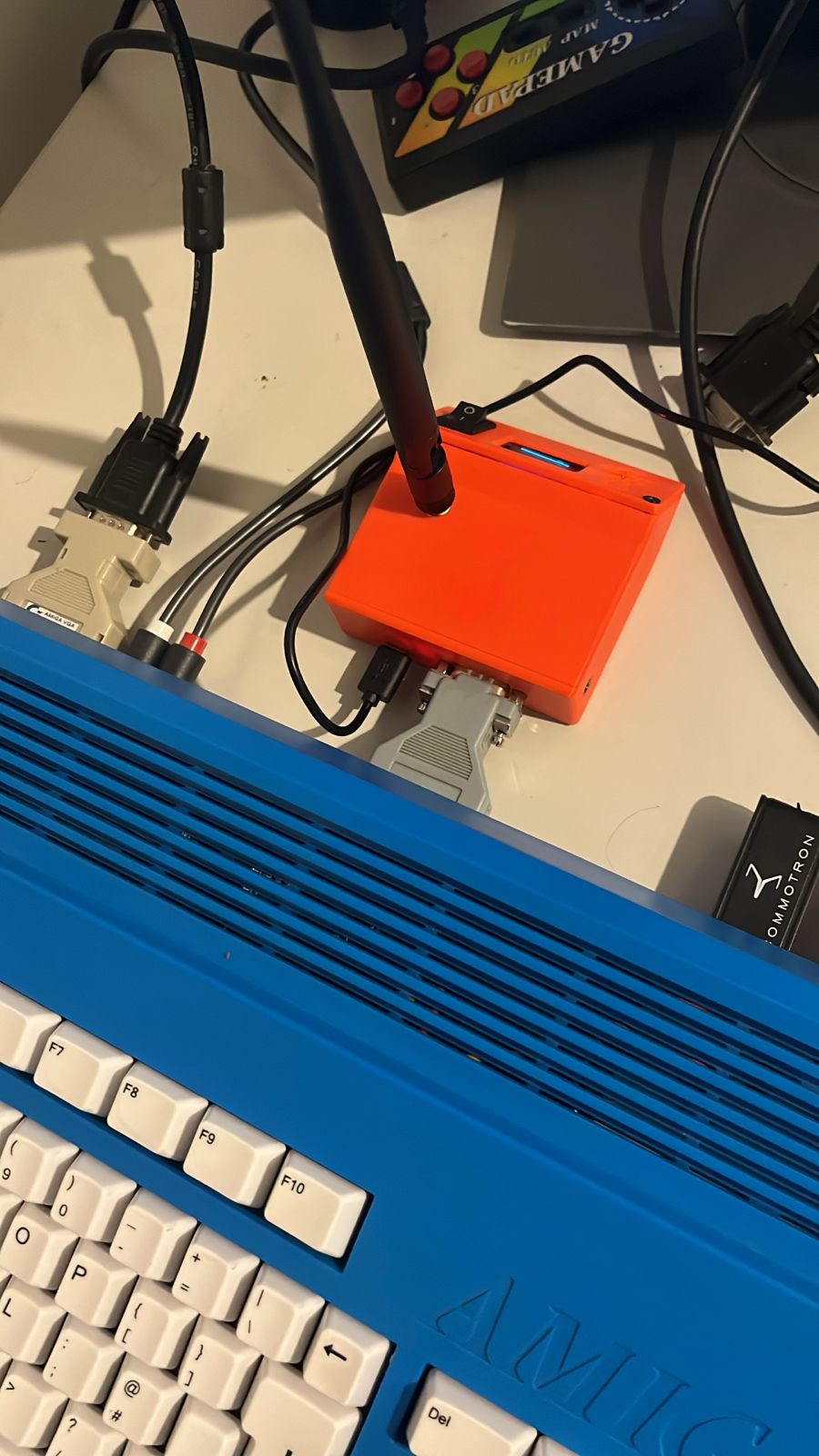
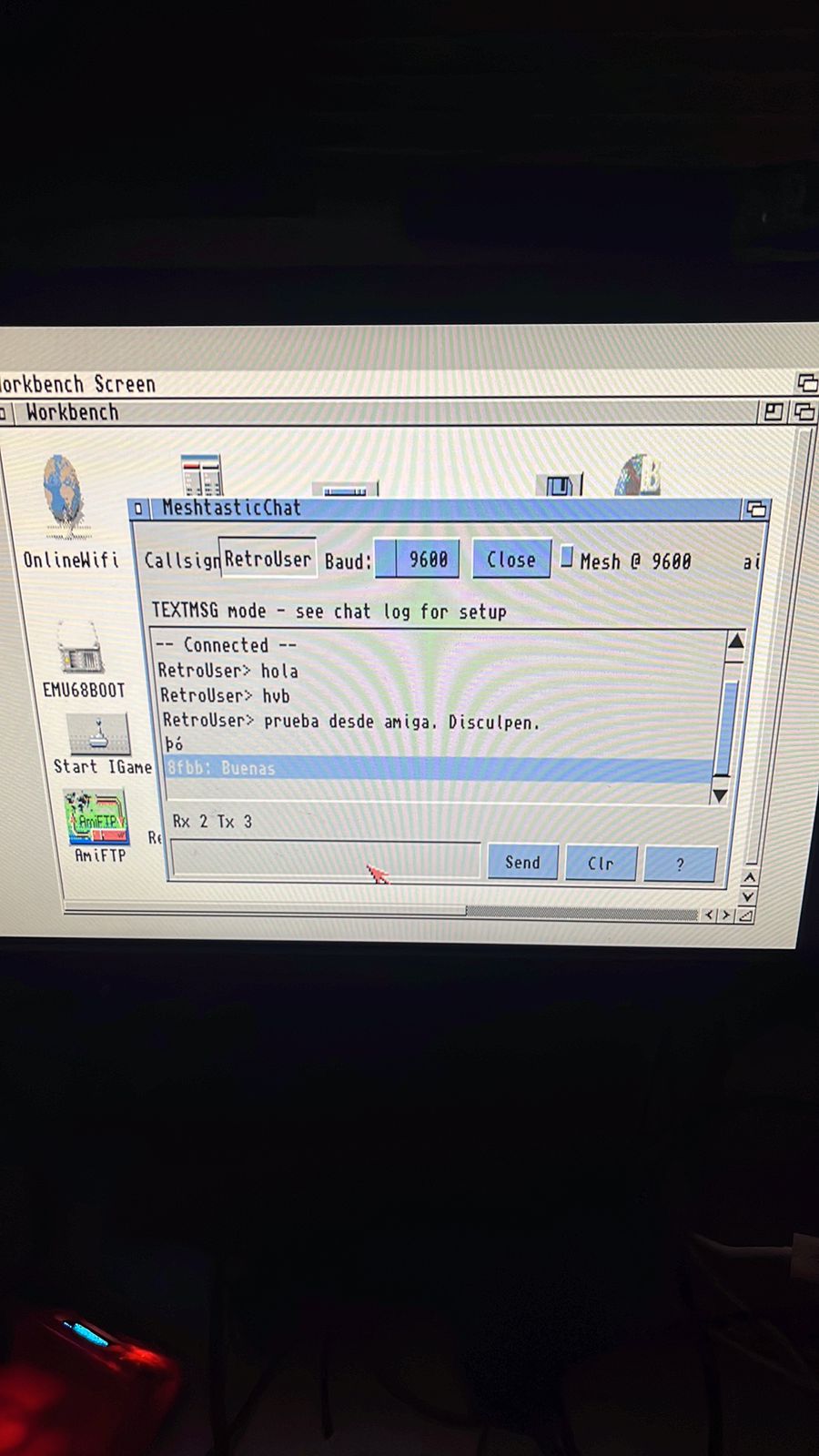
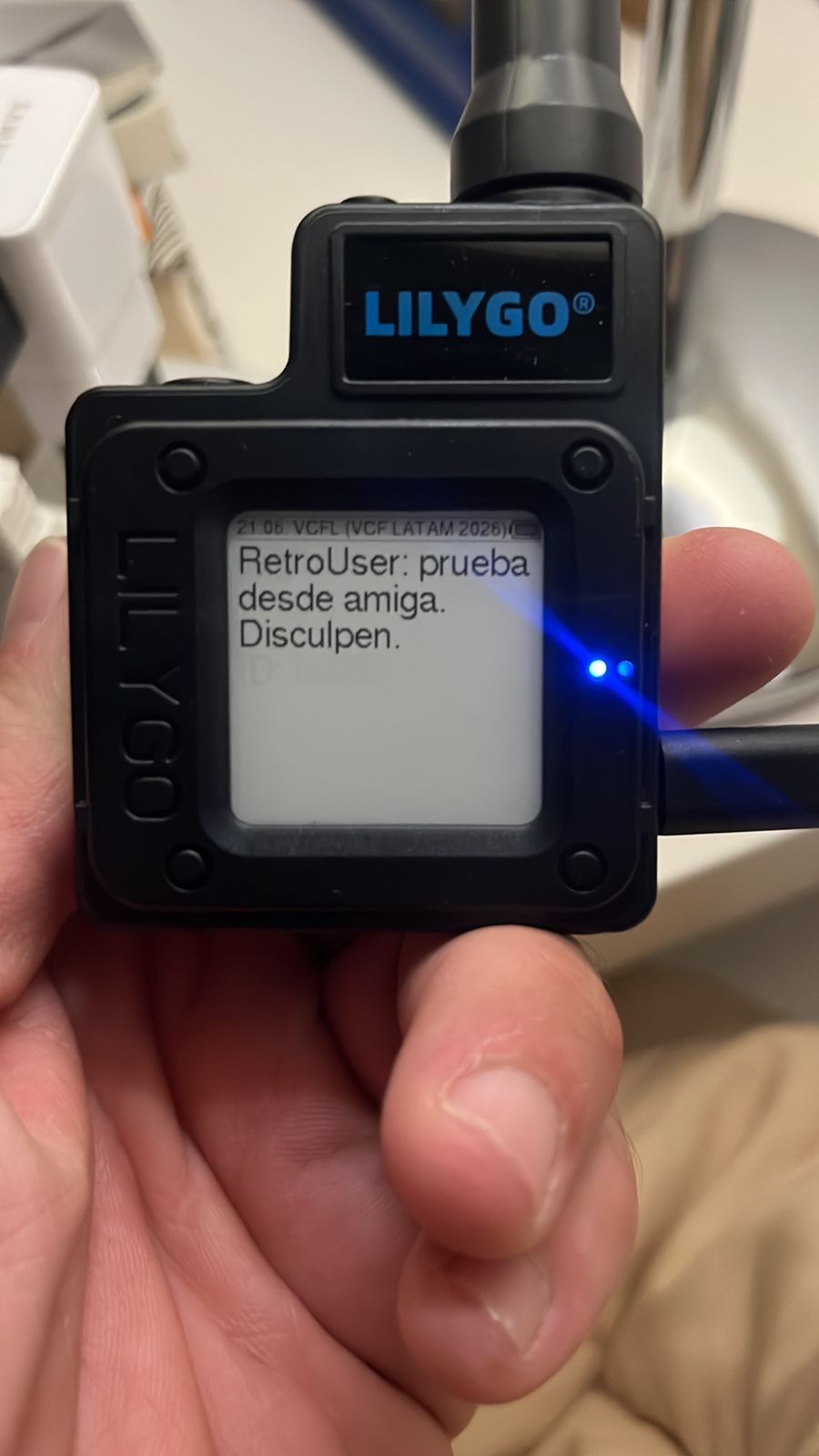
Una Amiga conectada por serie al módulo Meshtastic — y la conversación apareciendo en otro nodo de la red, recibida vía LoRa.
An Amiga connected to a Meshtastic module via serial, chatting live on the mesh — and the same message showing up on a second node, received over LoRa.
Amiga + Meshtastic
Amiga + Meshtastic
Pantalla de la Amiga con el chat
Amiga screen showing the chat
Mensaje recibido en otro nodo
Message received on another node
Configuración del Meshtastic Serial Module
Configuring the Meshtastic Serial Module
En la app oficial de Meshtastic (Android, iOS, web, CLI meshtastic --port):
Settings → Module Settings → Serial. Setealo así:
Using the official Meshtastic app (Android, iOS, web, or CLI
meshtastic --port):
Settings → Module Settings → Serial. Recommended settings:
mode : TEXTMSG # envía texto plano por UART, no payload binario
baud : BAUD_9600 # universal en retro hardware
echo : false
rxd : (el GPIO donde conectaste el RX) # obligatorio: sin rxd/txd el módulo usa la consola USB
txd : (el GPIO donde conectaste el TX)
timeout : 0 # sin auto‑disconnect
mode : TEXTMSG # emits plain text over UART, not binary payload
baud : BAUD_9600 # universal on retro hardware
echo : false
rxd : (the GPIO you wired RX to) # required: without rxd/txd the module talks on the USB console
txd : (the GPIO you wired TX to)
timeout : 0 # no auto‑disconnect
Doc oficial del Serial Module: meshtastic.org/docs/configuration/module/serial
Full documentation: meshtastic.org/docs/configuration/module/serial
Descargas
Downloads
Amiga · OS 2.0+
Última actualización: 2026-05-11 Last updated: 2026-05-11
- MeshtasticChat59 KB
- MeshtasticChat.adf880 KB
- MeshtasticChat — OS 1.x ADF booteable próximamente
- MeshtasticChat — bootable OS 1.x ADF coming soon
Cargá el ADF en WinUAE/FS‑UAE o copiá el binario a tu Amiga real. Compatible con Workbench 2.0+ (Kickstart 2.04+). Próximamente sale además una versión para AmigaOS 1.x (Kickstart 1.3+, A500 stock) con ADF booteable incluido — vas a poder meter el disquete y arrancar directo, sin tocar Workbench.
Mount the ADF in WinUAE/FS‑UAE or copy the executable to a real Amiga. Targets Workbench 2.0+ (Kickstart 2.04+). An AmigaOS 1.x build is coming next (Kickstart 1.3+, stock A500) shipped as a bootable ADF — drop the floppy in and it boots straight into MeshtasticChat, no Workbench needed.
Atari ST · TOS
Última actualización: 2026-09-13 — el log guarda toda la charla con barra de scroll; el selector de Baud avanza uno por clic; controles alineados en media resolución Last updated: 2026-09-13 — the log keeps the whole conversation with a scroll bar; the Baud selector advances one step per click; controls aligned in medium resolution
Compatible con TOS 1.04+ y emuladores Hatari / STeem. Color o mono.
Works on TOS 1.04+ and Hatari / STeem emulators. Color or mono.
MS‑DOS · 86Box / DOSBox
Última actualización: 2026-09-11 — recepción (RX) por interrupción, con OUT2 y FIFO del UART Last updated: 2026-09-11 — interrupt-driven receive (RX), with UART OUT2 and FIFO
El bootable arranca FreeDOS y lanza MeshChat solo. Andan los COM1‑4 (auto‑probe).
The bootable image boots FreeDOS and auto‑launches MeshChat. COM1‑4 are auto‑probed.
Macintosh Classic · System 6/7
Última actualización: 2026-09-13 — puerto Módem o Impresora a elección o automático (Auto), error con su código, handshake apagado, cierra el puerto al salir, sigue recibiendo en segundo plano, entra en pantallas de 512 px Last updated: 2026-09-13 — Modem or Printer port selectable or automatic (Auto), errors with their code, handshake off, closes the port on quit, keeps receiving in the background, fits 512 px screens
El .bin es MacBinary II — copialo a un Mac real (o a la imagen de
disco de tu emulador) con cualquier herramienta que entienda MacBinary. El
.dsk es una imagen de disquete HFS de 800 KB lista para montar
en Mini vMac / Basilisk II / PCE.js con el binario ya adentro. Probado en
emulador (Mac Plus, System 6.0.8 y 7.0.1); la versión de 2026-09-13 todavía
no se probó en hardware real.
Puerto: en Unit elegí Modem o Printer (si usás Printer, apagá AppleTalk en el Selector), o tocá Auto: prueba los dos puertos, se queda con el que recibe algo (si ninguno recibe, con el primero que abre) y lo muestra en Unit; si no abre ninguno dice por qué. Cable: el puerto de la Mac es mini‑DIN‑8: pin 3 TxD, pin 5 RxD, pin 4 masa y pin 8 (RxD+) a masa — si queda al aire, la Mac transmite pero no recibe. Entre la Mac y los pines de 3,3 V del nodo va un adaptador de nivel (MAX3232), igual que en DOS. 9600 8N1.
The .bin is MacBinary II — copy it to a real Mac (or your
emulator's disk image) with any MacBinary-aware tool. The .dsk
is an 800 KB HFS floppy image, ready to mount in Mini vMac / Basilisk II /
PCE.js with the binary already on it. Tested in an emulator (Mac Plus,
System 6.0.8 and 7.0.1); the 2026-09-13 build has not been tried on real
hardware yet.
Port: pick Modem or Printer in Unit (for Printer, turn AppleTalk off in the Chooser), or press Auto: it tries both ports, keeps the one that receives something (if neither does, the first one that opens) and shows it in Unit; if neither opens it says why. Cable: the Mac port is mini‑DIN‑8: pin 3 TxD, pin 5 RxD, pin 4 ground and pin 8 (RxD+) to ground — left floating, the Mac transmits but never receives. A level shifter (MAX3232) goes between the Mac and the node's 3.3 V pins, same as on DOS. 9600 8N1.
Hecho con MacumbaEditor
Built with MacumbaEditor

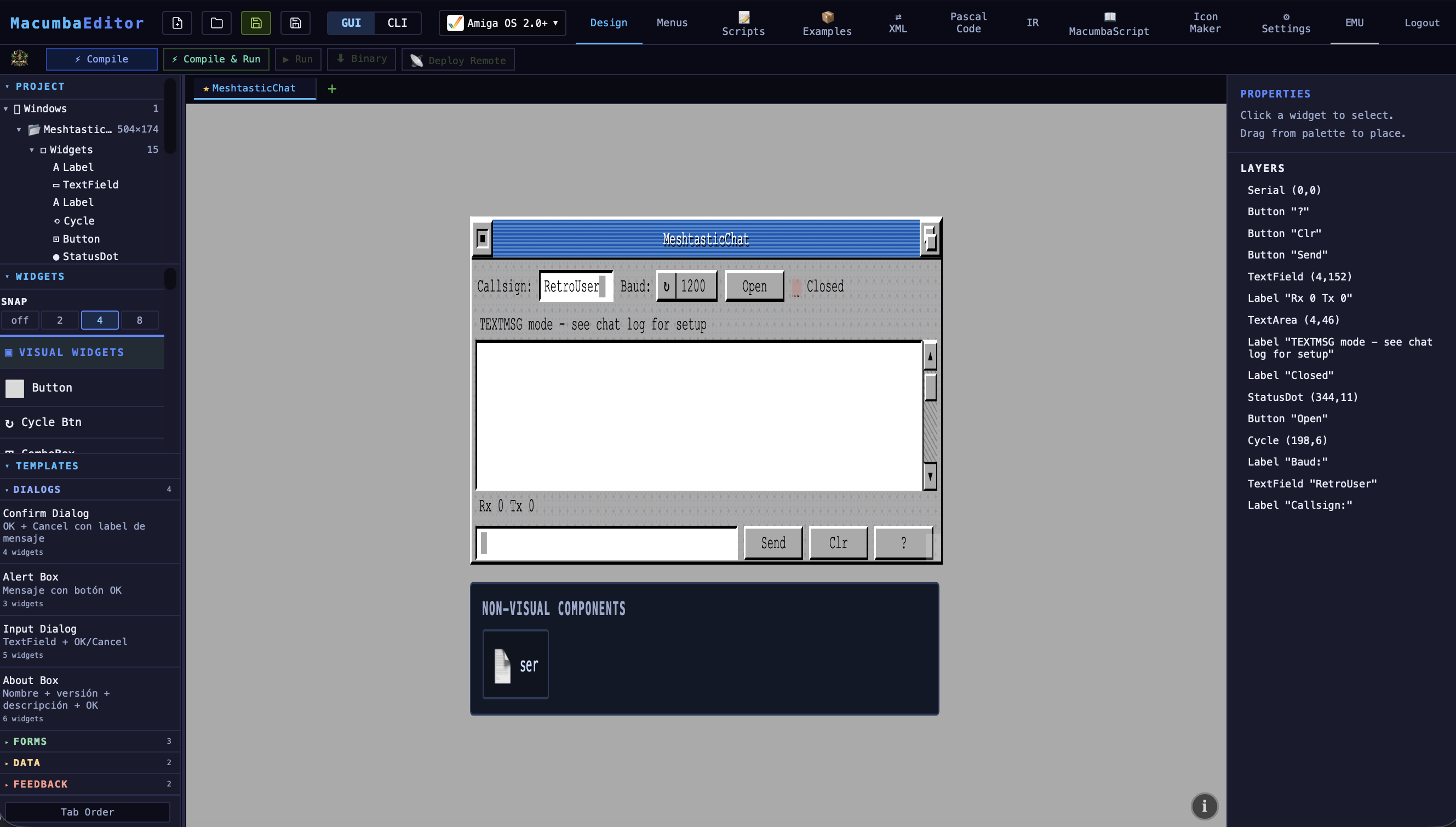
Las cuatro aplicaciones de esta página salen del mismo archivo fuente: un widget visual + scripts en lenguaje MacumbaScript. El editor genera código nativo por plataforma — vos no reescribís nada.
All four applications on this page were generated from a single source project. You design a visual widget tree once, add a few scripts in the lightweight MacumbaScript language, and the editor produces native code for each target platform. No platform‑specific rewrites.
Lanzamiento de la IDE MacumbaEditor: fines de 2026 — algún momento de 2027.
MacumbaEditor public release: late 2026 — sometime in 2027.